Foundry RAG system Patient Status Alerts
Purpose:
These resources will:
- Flag on the Patient's Demographic Box and the patient's Home Screen what RAG status the active patient has
What does it actually do?
- Highlights to users if the active patient is rated Red, Amber, Green, or not rated on the RAG scale in the alert box
By double clicking on the alert,
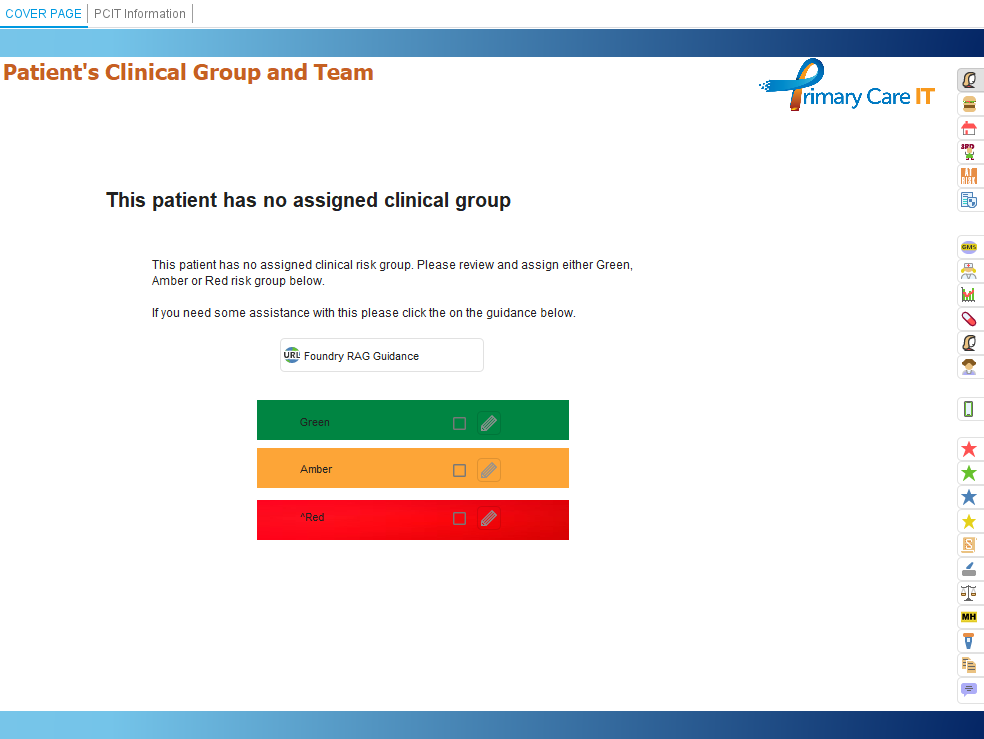
- Users will be taken to the RAG template and able to update the RAG status
What does it look like?
The alerts are signified by red, amber or green circle icon. When you hover over an alert, a message explains its meaning, as shown in the screenshots below:
If users wish to update the RAG status, they can click the alert, which will open the template shown below
System Dependencies:
None
System Trigger
System Trigger: When record is saved
Run mode: Always run
Enable trigger for: All